
Navigating the world of AI video editing can be a double-edged sword—offering unprecedented efficiency and creativity, while also introducing a unique set of challenges. If you've ever found yourself frustrated by unexpected glitches or errors, you're not alone.
Errors in AI video editing not only disrupt your workflow but can significantly affect the quality of your final product. This guide will walk you through resolving the most common issues, empowering you to create smoother, more professional videos using platforms like Vexub.
Understanding Common AI Video Editing Errors
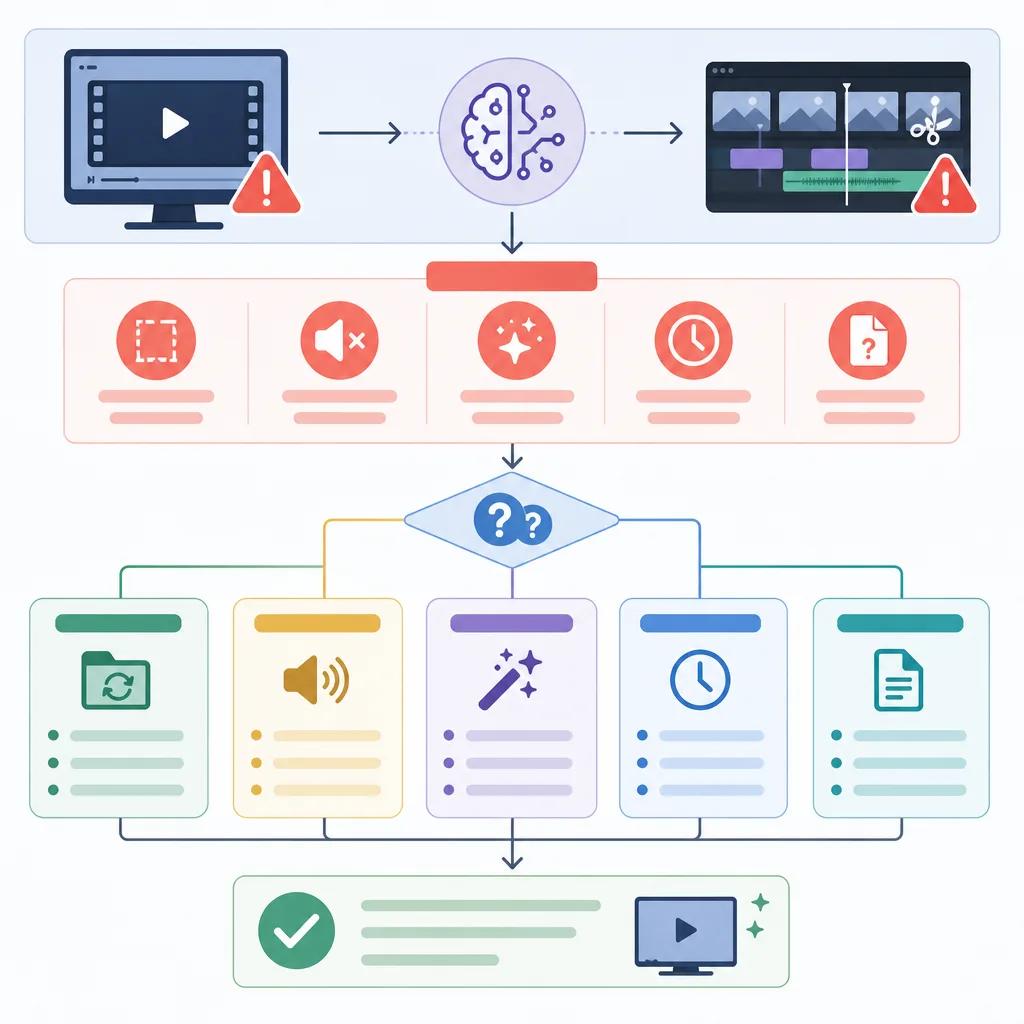
Before you can effectively troubleshoot, it's essential to understand the types of errors that frequently occur in AI video editing. These issues often arise from the underlying algorithms and the data they process. Here are some of the most prevalent problems:
Inconsistent color gradingAudio sync issuesUnexpected transitionsArtifacting in video renderingFrame dropping or duplication
Each of these problems can stem from various sources, including inadequate training data for the AI, software bugs, or even hardware limitations. By identifying the root cause, you can apply targeted solutions.
Addressing Inconsistent Color Grading
Color grading is an artistic process that can be disrupted by AI if the algorithms misinterpret lighting conditions or object colors. This can result in videos that look unnatural or inconsistent.
To fix this, start by examining the source footage. Ensure it has consistent lighting and colors throughout. If inconsistencies persist, use manual color correction features available in your AI video editing software or consider integrating other editing tools that specialize in color grading.
Resolving Audio Sync Issues
Audio sync issues can be particularly jarring, pulling viewers out of the immersive experience. AI editing software may struggle with this due to file format variances or processing errors.
To address audio sync problems, first ensure your audio and video files are in compatible formats. Use editing tools to manually adjust the timing if needed. Vexub offers advanced synchronization settings that can help align audio tracks with video footage seamlessly.
Managing Unexpected Transitions
AI editors might insert transitions that are too abrupt or not what you intended, disrupting the flow of your video. This often happens when the AI misjudges scene changes or content pacing.
Fine-tuning Transition Settings
Most AI video editors allow you to customize transition effects. Dive into the settings to adjust the duration and style of transitions. If your software permits, create custom presets that match your project needs.
Consider using a manual override for critical transitions. This allows you to maintain control over the flow and ensures that the AI enhancements complement rather than detract from your vision.

Fixing Artifacting in Video Rendering
Artifacting refers to visual distortions or anomalies that appear during video playback. These can be particularly noticeable in high-resolution outputs and are often caused by compression algorithms.
To reduce artifacting, choose higher bitrate settings during the export process. If available, use an AI tool with advanced rendering capabilities to minimize these issues. Platforms like Vexub continually update their algorithms to handle such problems effectively.
Preventing Frame Dropping or Duplication
Frame dropping or duplication can lead to videos that appear choppy or unnatural. This usually happens when the AI struggles to maintain consistent frame rates during processing.
Optimizing Frame Rate Settings
Ensure that your editing software is configured to use a frame rate that matches your source footage. Checking this setting can prevent many common frame-related issues. Additionally, ensure that your hardware resources are sufficient for processing high-quality video files.
Create videos like this with AI
Script, voiceover, images and subtitles — automated in minutes.
Utilizing Vexub for Seamless Editing
Vexub provides a robust platform for AI video editing, equipped with tools designed to mitigate many of these common issues. By leveraging Vexub's advanced features, you can focus more on creativity and less on troubleshooting.
For example, its machine learning algorithms continuously improve to offer better color grading and transition management. Plus, it integrates seamlessly with other popular video editing tools, offering flexibility in your editing workflow.
To further enhance your editing experience, consider exploring our blogs on optimize AI videos for engagement and create educational explainer videos with AI.
Conclusion: Streamline Your Editing Process
By understanding and addressing these common AI video editing errors, you can significantly enhance your video production quality. Platforms like Vexub offer invaluable tools to simplify this process, providing solutions that are both effective and user-friendly.
Whether you're dealing with color grading inconsistencies or audio sync issues, applying these troubleshooting techniques will ensure smoother, more polished results. For additional insights, visit our article on troubleshooting AI video quality issues.







