

Exporting videos using AI tools can sometimes present unexpected challenges, disrupting your workflow and delaying project timelines. Whether you're encountering error messages or performance lags, understanding the root of these issues is crucial for efficient resolution.
This guide delves into the most common problems users face when exporting AI-generated videos and offers practical solutions. By addressing these challenges, you can enhance your video creation process and maintain a seamless operation with platforms like Vexub.
Why is My Video Not Exporting?
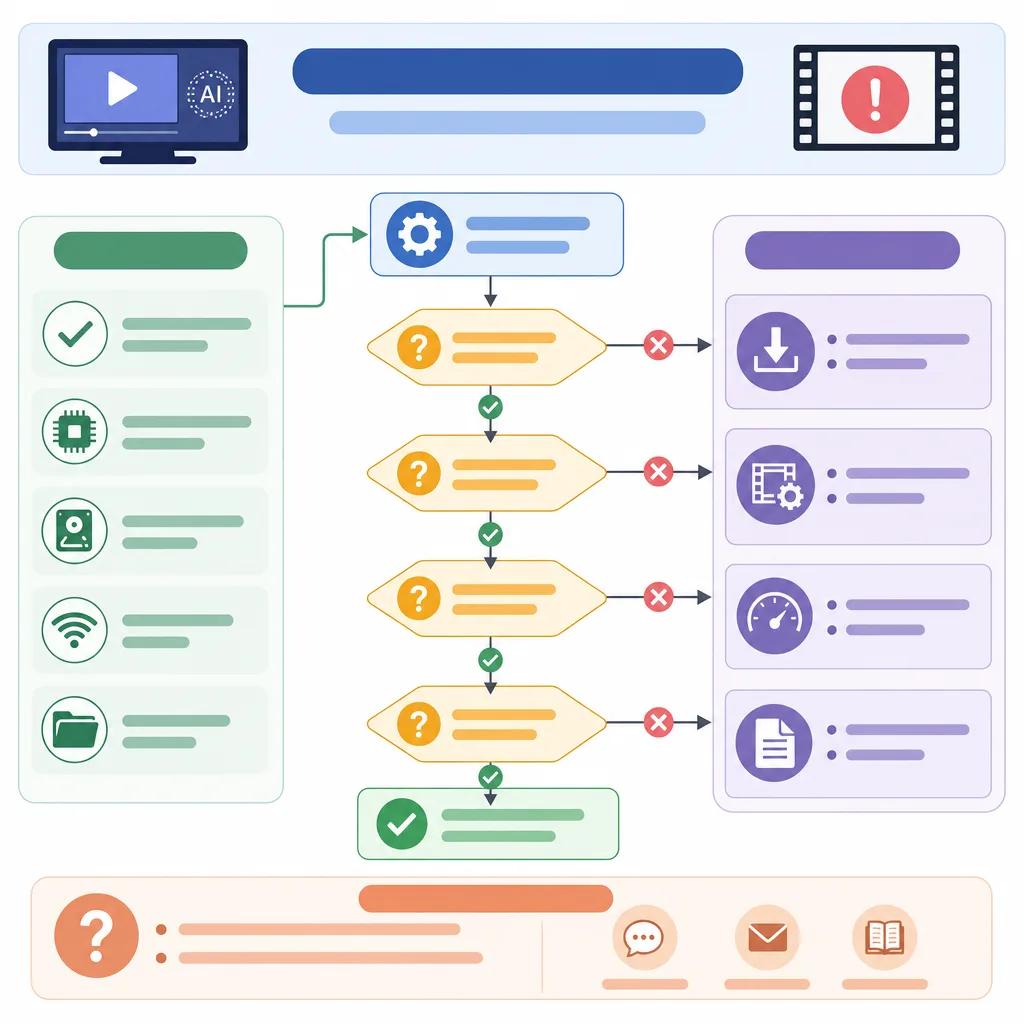
There are several reasons your video might not be exporting successfully. These can range from software glitches to hardware limitations. Understanding the specific cause is the first step in troubleshooting.
One common issue is insufficient storage space. AI video tools require a significant amount of temporary storage for processing. Ensure your device has ample free space before attempting another export.
Another factor could be outdated software. Always keep your AI video tools updated to the latest versions to ensure compatibility and access to the latest features. This can often resolve many export-related issues.
How to Fix a Video with AI Tools
AI tools provide powerful features for video editing, but they also come with their own set of challenges. If your video isn't exporting, consider these steps to rectify the issue.
Check Software Compatibility
Ensure that your AI tool is compatible with your operating system and other software you are using. Incompatible software can lead to export failures and other performance issues.
Optimize Video Settings
Adjusting your video settings can also help. Lowering the resolution or changing the format may resolve export issues. For instance, exporting in a commonly supported format like MP4 can often bypass compatibility issues.
If you're using Vexub, you can easily adjust these settings in the export menu. This flexibility allows for tailored solutions that fit your specific needs.
Why Can't AI Generate Long Videos?
AI's ability to generate video content is impressive, but limitations exist, especially with longer videos. Understanding these limitations helps in setting realistic expectations and planning effectively.
Long videos require more processing power and memory. Ensure your system meets the necessary specifications to handle these demands. If your AI tool struggles with long videos, consider breaking the content into smaller segments.
Create videos like this with AI
Script, voiceover, images and subtitles — automated in minutes.
Dealing with Poor Video Quality
Poor video quality can stem from several factors, including incorrect export settings or low-quality source material. Addressing these issues can significantly enhance your final product.
Start by checking your export settings. High-quality settings such as increased bit rate and resolution can improve the video's appearance. However, these settings require more processing power and storage.
Additionally, ensure your source material is of high quality. AI tools can enhance video quality, but they cannot fully compensate for poor input materials.

Overcoming Software-Specific Errors
Software-specific errors can be particularly frustrating as they often require detailed troubleshooting. Familiarize yourself with common error messages and their solutions to expedite the process.
Topaz Video AI Errors
Topaz Video AI users might encounter errors such as 'license not available' or 'model failed.' These issues often relate to software updates or licensing agreements. Ensure your software is up-to-date and that your license is active.
Descript Troubleshooting
For Descript users, issues might arise from connectivity problems or project file corruption. Regular backups and ensuring a stable internet connection can prevent these problems.
Maximizing Export Success
To consistently achieve successful exports, maintain your software, optimize settings, and ensure compatibility. Regularly updating your tools and system can prevent many common issues.
Vexub offers robust support and comprehensive guides to help you tackle any challenges. Explore our Vexub VEO3 integration guide for more tailored advice.
By understanding and addressing these common issues, you can maximize the potential of your AI video projects, ensuring each creation meets your quality standards and project goals.







