

Creating high-quality tutorial videos can be a daunting task, especially when you're aiming to maintain viewer engagement and ensure the content is educational and visually appealing. Thanks to advancements in AI technology, you now have access to a plethora of tools designed specifically to assist in crafting these videos with ease and efficiency.
AI tools have revolutionized the way video content is created by automating various processes that traditionally required significant time and technical skills. Whether you're an educator, a business owner, or a content creator, leveraging AI can significantly enhance your tutorial videos, making them more engaging and professional.
Understanding AI Tools for Tutorial Videos
AI tools for creating tutorial videos offer a range of features that simplify video production. From automated script generation to voiceovers and video editing, these tools are designed to streamline the video creation process. The right AI tools can help you focus more on the educational content rather than the technicalities of video production.
Many AI tools integrate seamlessly with popular video editing software, providing functionalities like automatic subtitle generation, scene detection, and even AI-driven suggestions for improving video content. For instance, link('Vexub’s AI platform', '/blog/best-ai-video-platforms-business') offers features that cater specifically to educational content creators, making it easier to produce high-quality tutorial videos.
Top AI Tools for Video Scriptwriting
Scriptwriting is often the starting point for any tutorial video. AI-driven tools can assist in generating scripts that are both engaging and informative. These tools use natural language processing to create coherent and contextually relevant scripts, saving you time and effort.
Tools like Jasper AI and Copy.ai offer capabilities to create scripts based on a few prompts or keywords you provide. This can be particularly beneficial if you're covering complex topics and need a structured script to follow.
Enhancing Video Production with AI
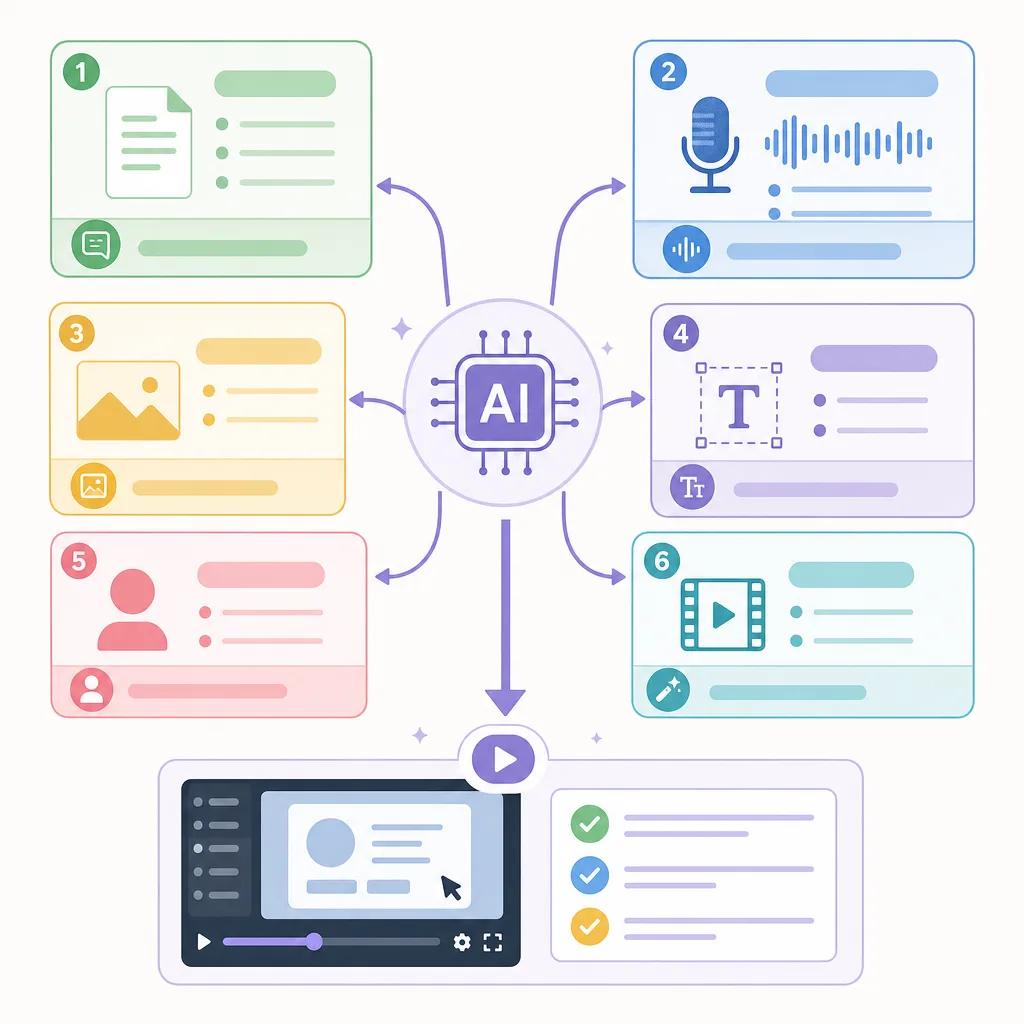
Once your script is ready, the next step is video production. AI tools can greatly enhance this phase by offering features like automated scene transitions, background music selection, and even AI-generated animations. These features ensure your tutorial videos are not only informative but also visually appealing.
For example, link('AI-powered platforms', '/blog/best-practices-for-video-seo-in-2026') can automatically adjust lighting and color grading to match the mood of your content, or suggest cuts and transitions that maintain viewer engagement. This level of automation allows you to produce professional-grade videos without needing advanced video editing skills.
Utilizing AI for Voiceovers
Voiceovers are a critical component of tutorial videos, adding a personal touch and guiding viewers through the content. AI tools like Descript and Murf AI offer voice synthesis technology that can produce natural-sounding voiceovers from text, allowing you to add narration to your videos without hiring voice actors.
These tools provide a variety of voices and languages to choose from, ensuring that your tutorial videos can reach a broader audience. Moreover, they allow for easy adjustments in tone and speed, giving you full control over how the narration complements your video content.
Create videos like this with AI
Script, voiceover, images and subtitles — automated in minutes.
AI Tools for Post-Production and Editing
Post-production is where your video takes its final shape. AI tools play a vital role here by offering features like noise reduction, video stabilization, and even automatic video trimming. These tools can detect and correct errors that might have been overlooked during the initial editing phase.
For instance, link('Vexub’s editing suite', '/blog/troubleshoot-audio-issues-ai-videos') includes AI algorithms that can enhance audio quality by reducing background noise or normalizing sound levels, ensuring that your tutorial videos have clear and crisp audio.
Distributing and Promoting AI-Enhanced Videos
Once your video is complete, the next challenge is distribution and promotion. AI tools can assist here by analyzing audience engagement data and suggesting the best platforms and times to publish your videos. This strategic approach can maximize the reach and impact of your content.
Additionally, AI can help craft personalized marketing messages for different audience segments, ensuring that your tutorial videos attract the right viewers. By leveraging AI for distribution, you can focus on creating more content while the technology handles the promotional efforts.
Choosing the Right AI Tools for Your Needs
With the myriad of AI tools available, selecting the right ones for your tutorial video production can be overwhelming. It's essential to evaluate tools based on your specific needs, budget, and technical proficiency. Many AI tools offer free trials, allowing you to test their features before making a commitment.
Consider factors like ease of integration with existing workflows, customer support, and user reviews. Platforms like link('Vexub', '/blog/ai-video-tools-educational-content') offer comprehensive solutions that cater to both beginners and experienced video creators, making it easier to produce high-quality content efficiently.
In conclusion, AI tools provide powerful capabilities to enhance every stage of tutorial video production. By selecting the right tools, you can create engaging and professional videos that educate and captivate your audience.







